add color to black & white photos
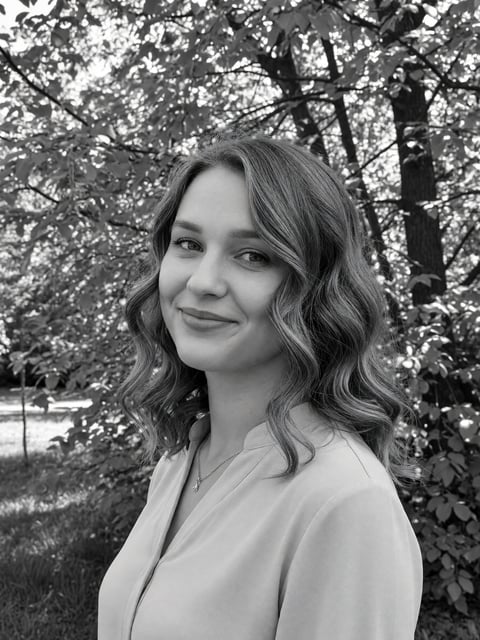
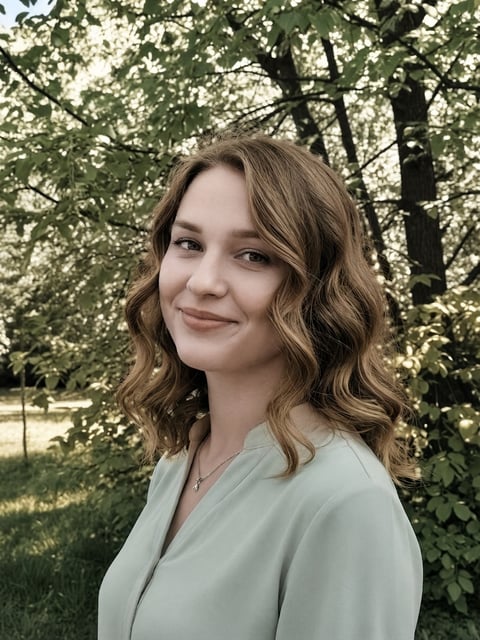
upload a black-and-white or sepia picture and get a naturally colorized version — believable skin tones and true-to-life color, without touching the composition.
drop a photo here, or click to choose
jpg, png or webp · up to 10mb · your photo is only used for this conversion
about the ai photo colorizer
The AI photo colorizer adds realistic, natural color to black-and-white or sepia photographs: believable skin tones, correct colors for clothing, foliage, sky and materials, and soft, even color across the whole image. Unlike restoration, it does one thing and does it well — it colorizes without repairing, sharpening, or changing the composition, so every person and detail stays exactly as it was. Upload a monochrome scan or a photo of an old print to see it in color in seconds.
how it works
upload a photo
jpg, png or webp — straight from your phone is fine.
colorize
a production-grade ai model does the work in ~15–40 seconds.
download
full-resolution colorized photo, yours to keep and post anywhere.
simple one-time pricing
no account. no subscription. buy once, use on every tool.
starter pass
$3.99
10 conversions across every tool — yours forever, no subscription
≈ $0.40 per conversion
creator pass
$9.99
40 conversions across every tool — best value, no subscription
≈ $0.25 per conversion
create a free selfielab account later and unused conversions become studio credits
questions, answered
is it just a sepia filter?+
no — the ai reconstructs plausible real color for skin, clothing, foliage, sky and materials across the whole image, not a single tint.
does it change the photo?+
only the color. it keeps every person, detail and the composition exactly as they are — it doesn't repair damage or restyle. for scratches and tears use photo restoration.
can i colorize a phone photo of an old print?+
yes. take a straight-on, well-lit photo of the print (avoid glare) and upload it — a scan works even better.
do i need an account?+
no. you can buy a one-time pass with just a card — the pass lives in your browser. if you later create a free selfielab account, any unused conversions convert into studio credits.
is this a subscription?+
no. passes are a single one-time payment. your conversions never expire and there is nothing to cancel.
what happens to my photo?+
your photo is uploaded securely, used for this conversion, and isn't shared or used to train models. you own the result.
what resolution do i get?+
full-resolution output, no watermark. every conversion is yours to download and post anywhere.