your photo studio,
now in your pocket.
The selfielab iphone app turns one prompt into a photorealistic image — then lets you keep editing it just by describing the change. same studio, same library, anywhere you are.
everything the studio does, one thumb away
create an image and refine it by describing the change — from the couch, the train, or the group chat.
type it, see it
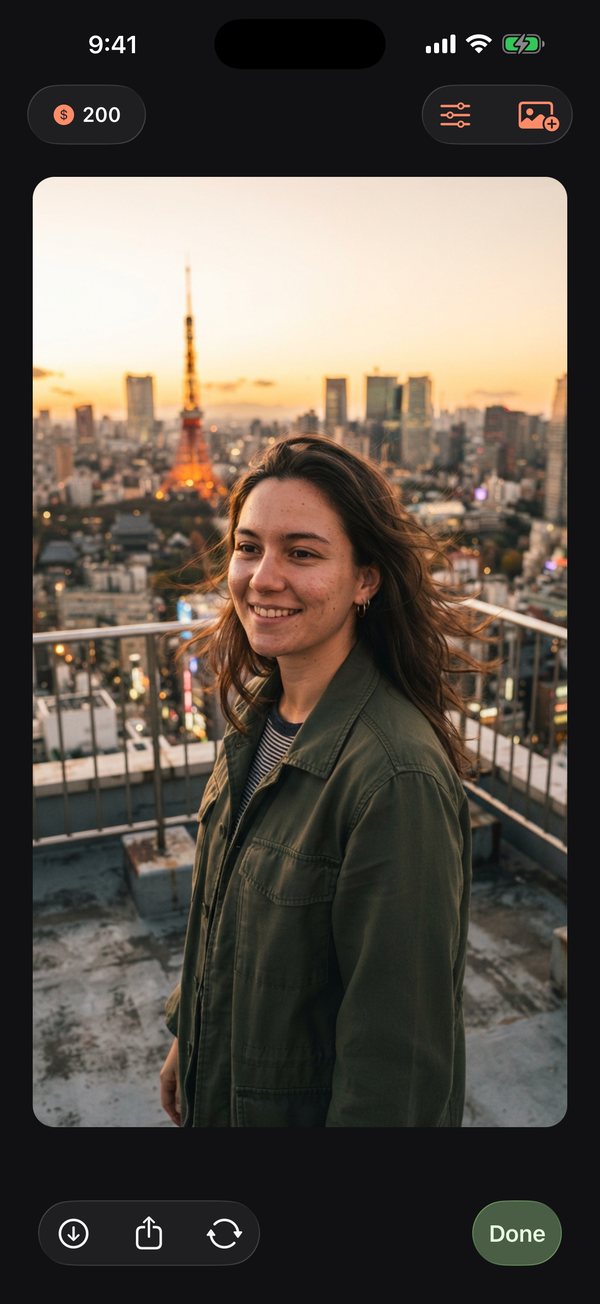
describe the shot — "golden hour on a tokyo rooftop" — and the app composes a photorealistic image in seconds. no camera, no lighting rig, no location scouting.
edit with words
open any photo and describe the change: swap the outfit, move the scene, fix the light. only what you asked for changes — everything else stays exactly as it was.
one tap styles
vintage film, noir, golden hour, editorial, 35mm, neon, anime, watercolor — shift the entire look of a shot without touching a slider.
start from your own photos
upload a photo you already have and edit it the same way, or begin from a blank prompt and build the image from nothing.
synced with the web studio
one account, one library. images you create on your phone appear on the infinite canvas at selfielabstudio.com, and vice versa.
yours, always
your images belong to you — full ownership, no watermarks, and you can delete your images or your whole account anytime.
a look inside
real screens from the iphone app — every image here was made with a sentence.
describe it
one sentence in the prompt bar, a photorealistic image seconds later.
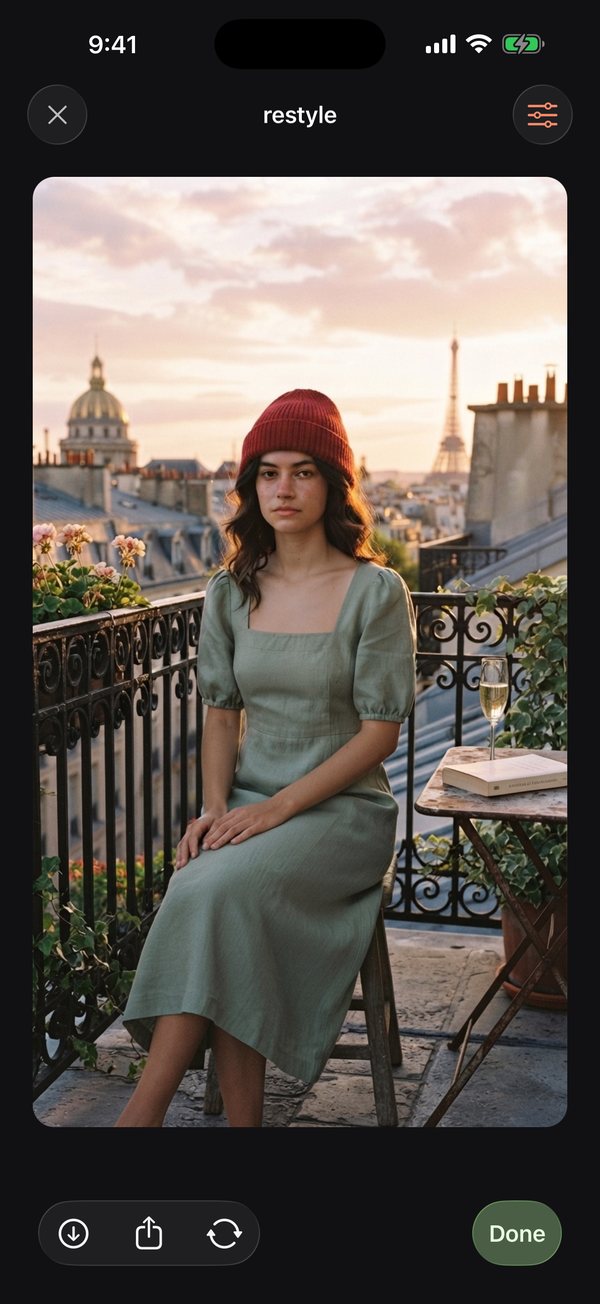
edit it
say what to change — here, a red beanie added and nothing else touched.
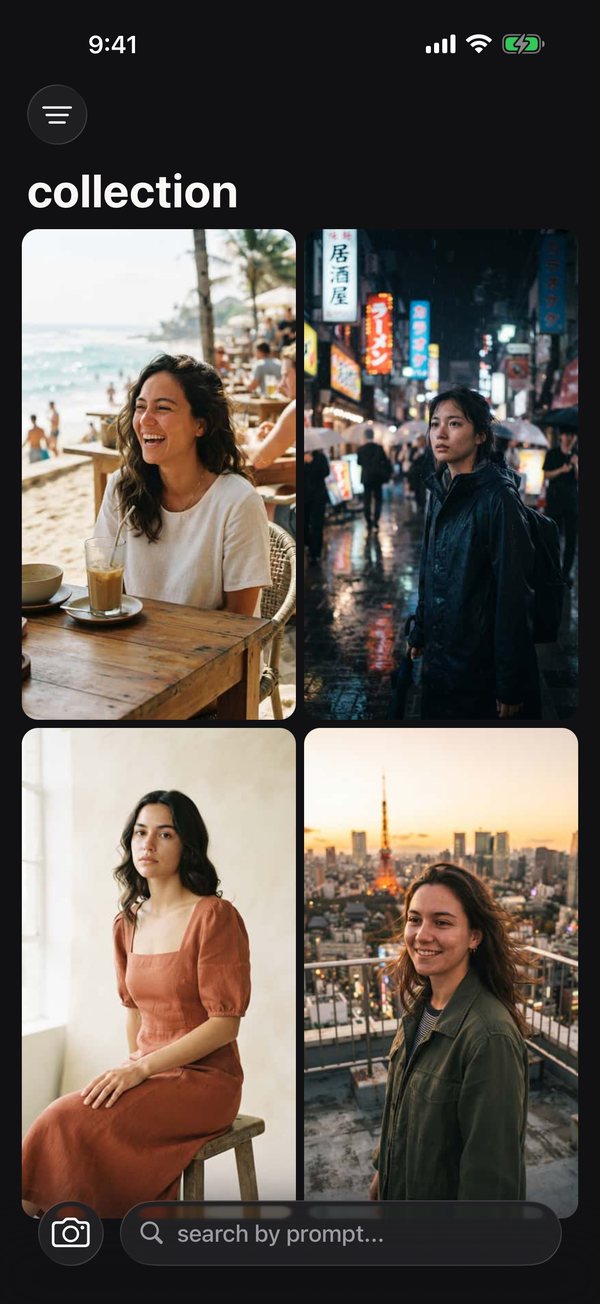
keep it
everything you make lands in your library, searchable by prompt.
how it works
1. describe it
type where, what, and the mood. outfits, locations, and lighting are one sentence away.
2. see it
a photorealistic image lands in seconds — or upload a photo you already have.
3. edit and share
describe any change to refine it, then save to your camera roll or post it anywhere.
questions, answered
what is the selfielab iphone app?
selfielab for iphone is an AI photo studio in your pocket. Type a description and it generates a photorealistic image in seconds. Then you can keep editing it by describing the change in plain words — a new outfit, a new city, different light.
is the selfielab app available now?
Yes — the iphone app is now available on the App Store. Download it free and sign in with your selfielab account; everything you make syncs with the web studio at selfielabstudio.com.
is the selfielab app free to download?
Yes — the app is free to download. Generating and editing images uses credits. Subscribe for monthly credits, then buy extra credit packs whenever you need more. Your existing selfielab account and credits carry over.
how does editing with words work?
Open any image and describe what you want changed. selfielab applies exactly that change and leaves the rest of the photo alone — the same person, pose, and framing, with only the thing you asked for different.
does the app work with the selfielab web studio?
Yes. The app and the web studio share one account and one library. Images you create on your phone appear in your studio on the web, and everything you make on the web is ready on your phone.
who owns the images i create with selfielab?
You do. Everything you generate is yours to use anywhere, with no watermarks, and you can delete your images or your whole account at any time.
your pocket photo studio
Create and edit your pictures on the go. Your library stays in sync.
type it, see it
type a sentence and get an image.
edit with words
describe the change and only that changes. new outfit, new city, new light.
one tap styles
tap a style to change the look. vintage film, noir, golden hour.